AI automations that answer your leads and follow up for you.
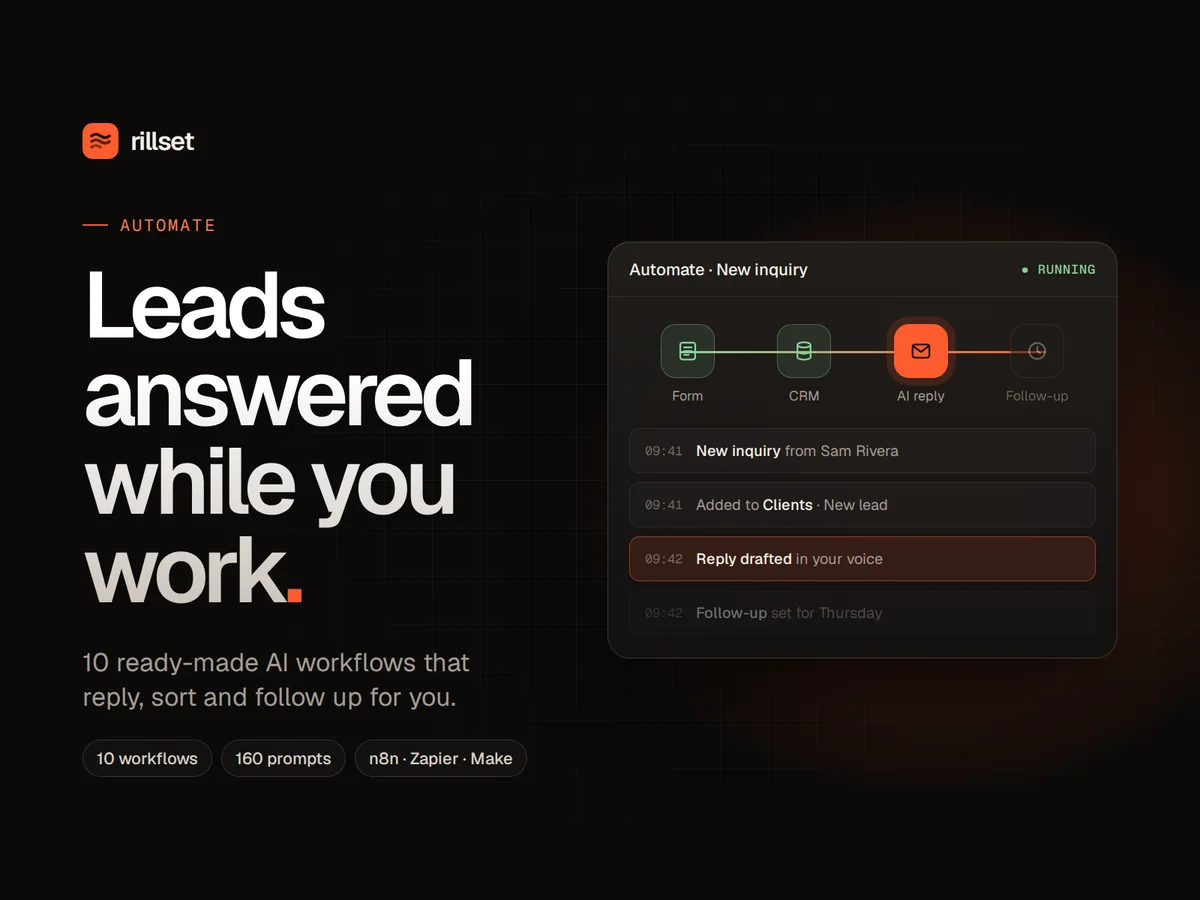
Ten ready-made workflows for n8n, Zapier or Make, 160 AI prompts and a click-by-click setup guide. Set it up over a weekend, then let the repeat admin run on its own.
Where your week goes, and what takes it back.
You reply to the same questions every day.
Support and inquiry replies are drafted from your own FAQ. You read, tweak if needed, and send.
New leads wait days for an answer.
Every inquiry is saved to your leads list and a personal reply is drafted within a minute of it arriving.
Follow-ups slip through the cracks.
No reply after three days? A follow-up is drafted for you, so warm leads don't go cold.
Chasing invoices feels awkward.
Polite reminders go out before and after the due date, in your tone, without you having to remember.
Posting everywhere takes all week.
One video or article becomes a week of posts, a newsletter and short-video scripts.
You never know how the week went.
A Monday report shows new leads, sales, invoices and content at a glance.
The 10 workflows
New inquiry → CRM → AI reply → follow-up
Saves every website inquiry to your leads list, drafts a personal reply in Gmail, and drafts a follow-up if they go quiet.
Inbox triage with drafted replies
Sorts new email by type and urgency, labels it, and drafts replies for the messages that need one.
One piece of content → a week of posts
Turns a video, blog post or idea into posts for each platform, a newsletter and short-video scripts.
Support replies from your FAQ
Answers common customer questions using your own FAQ, drafted for you to check before sending.
Booked call → prep brief → follow-up
When someone books a call you get a short brief before it, and a drafted follow-up after it.
New sale → welcome
When someone pays, they get a welcome email and your onboarding tasks are created.
Monday business report
A summary of new leads, sales, invoices and content lands in your inbox every Monday morning.
Polite invoice reminders
Friendly, well-timed reminders before and after an invoice is due, so you never have to chase awkwardly.
Review requests
Asks customers for a review seven days after they buy, when they're most likely to say yes.
Free guide signup → deliver
Sends your free download and adds the person to your subscriber list automatically.
Everything you get.
- 10 workflow files you import into n8n, plus step-by-step versions for Zapier and Make
- 160 AI prompts for sales, marketing, content, email, customer service, operations, pricing, hiring and strategy (PDF, Notion and Markdown)
- Click-by-click setup guide (PDF), plus a start-here page that tells you which workflow to set up first
- A ready-made Google Sheets template your workflows read and write: leads, customers, invoices, content, FAQ and subscribers
- An hours-saved calculator so you can see which workflows matter most for your business
Before you start.
Do I need to know how to code?
No. You import the files and follow the click-by-click guide. If you can copy and paste, you can set it up.
Does it work with Zapier or Make?
Yes. The workflow files are built for n8n, and the setup guide includes step-by-step versions of every workflow for Zapier and Make.
Will it send emails without me checking?
Replies to leads and customers are drafted in your Gmail, so you review them before anything is sent. You decide what, if anything, runs fully on its own.
What does it cost to run?
Automate itself is a one-time $97. The tools it runs on have their own plans, and the guide shows the cheapest way to start. The AI steps use an OpenAI API key, which usually costs a few dollars a month for a small business.
How long does setup take?
Workflow 01 (new inquiry to follow-up) takes about 20 minutes. Most people set up the ones they need over a weekend.
Can I set these up for my clients?
Yes. The licence lets you use the workflows in your own business and to set up automations for your own clients. You can't resell or share the files themselves.
What if it doesn't work for me?
Email hello@rillset.com within 14 days of purchase and tell us what didn't work. We'll help you fix it, and if we can't, we'll refund you. See the refund policy.
Get Automate for $97.
One payment, instant download. Or get all three systems in The Set for $197.